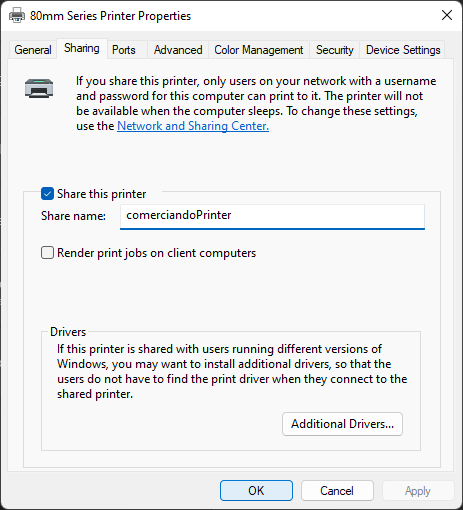
Configure printer
REQUIRED
If the printer is not configured in this way esc-pos printer manager will not be able to detect it
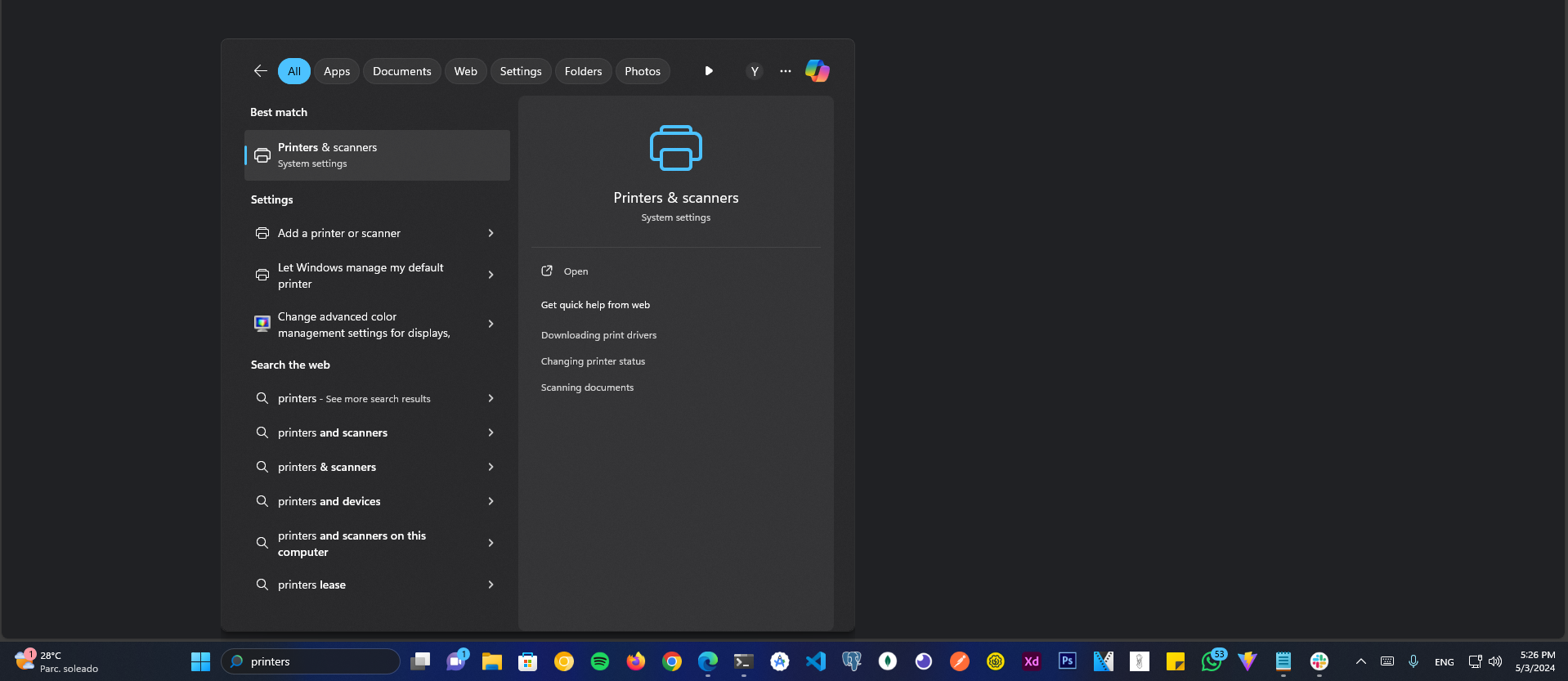
1- Go to printers settings
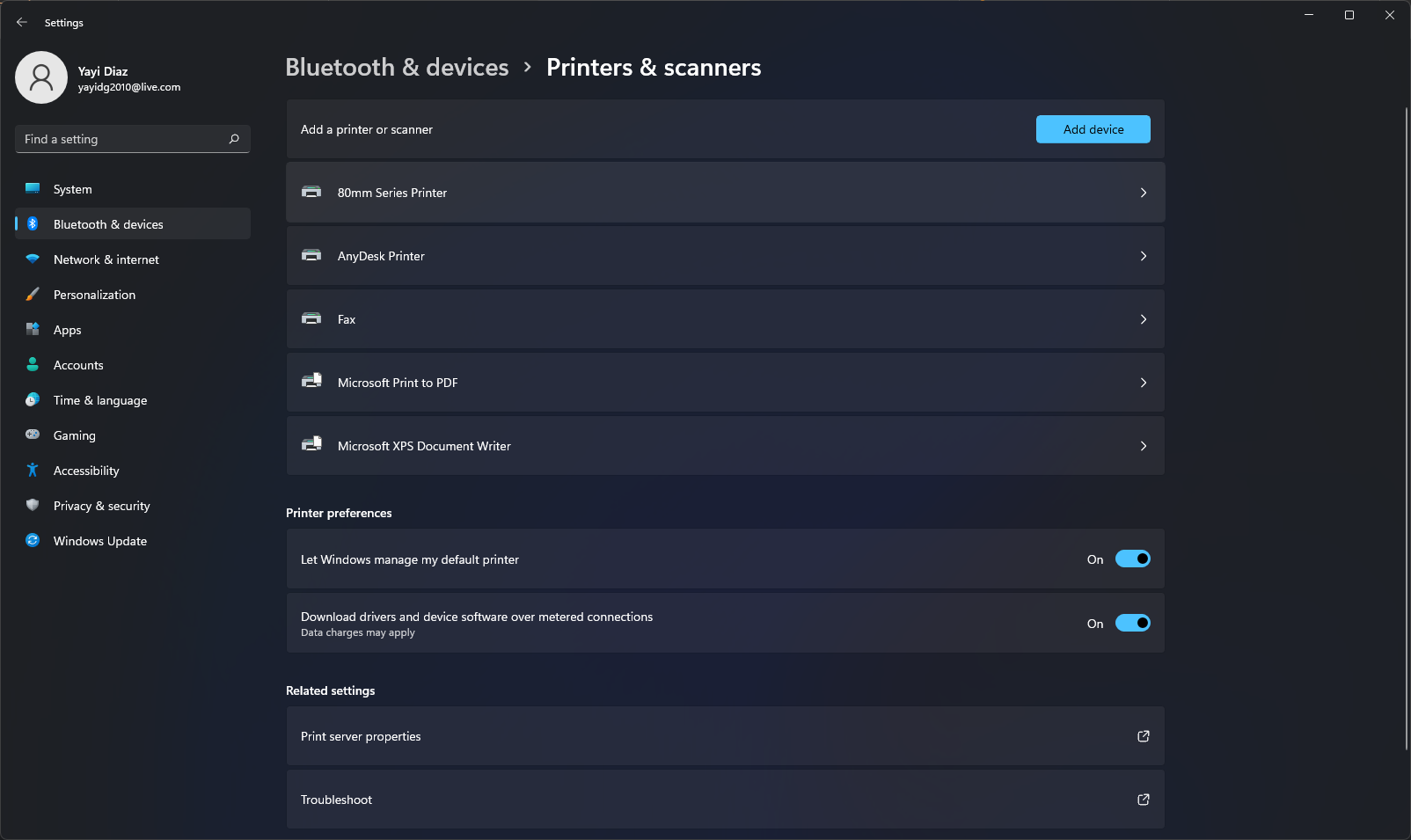
2- Select the printer to configure
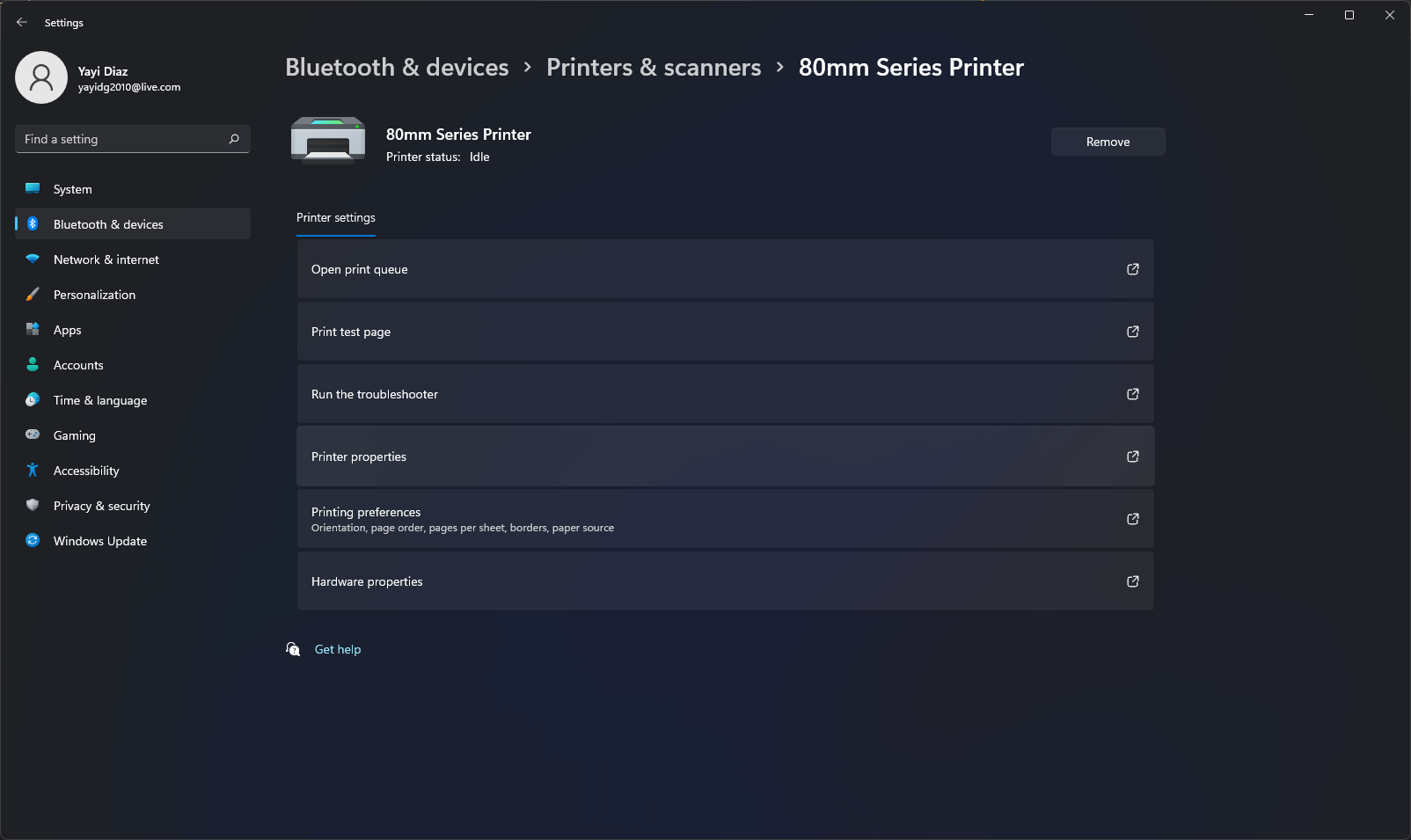
3- Go to Printer Properties
4- Click on Sharing tab
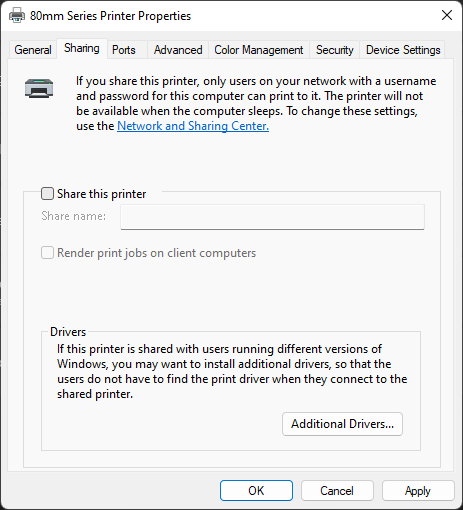
5- Enable the Share this printer checkbox
- Put a share name and save